Jira Automation for QA: Send Stale-Bug Reminders Without Email Spam
The Sherlock team
A QA lead wants owners to review neglected bugs before the weekly backlog meeting. A scheduled Jira rule finds the right issues, but sends a separate email for each one. Owners with the largest backlog receive the most messages, even though they need a single list to review.
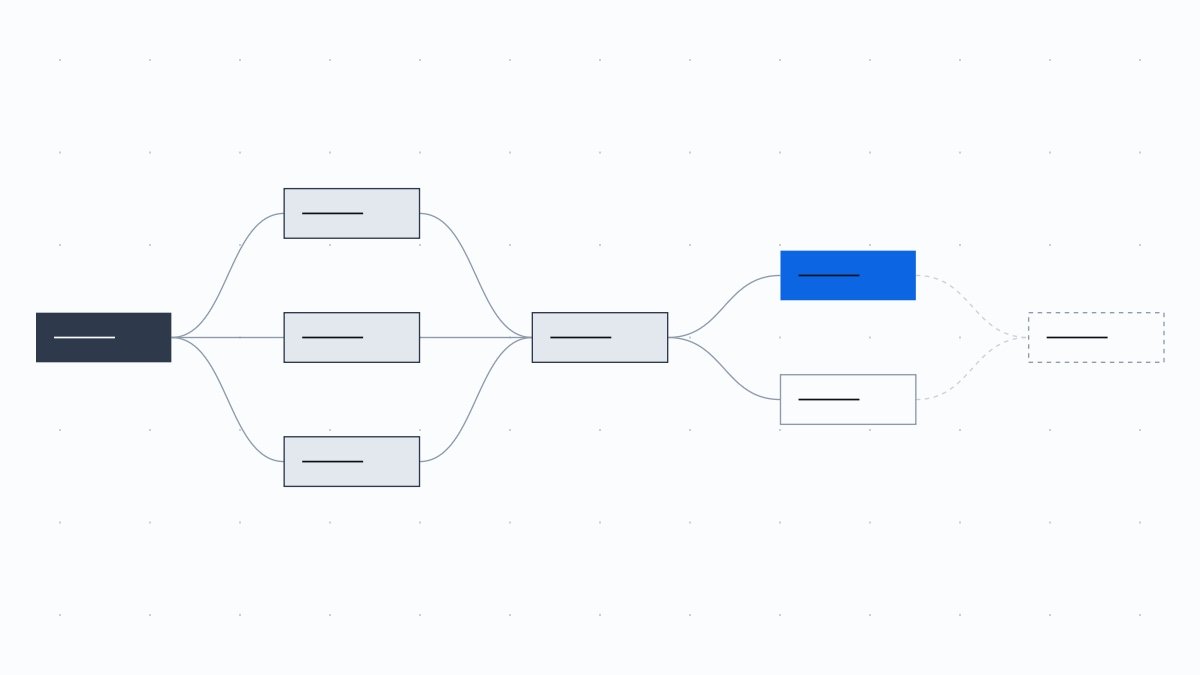
Build the rule around a collection of bugs and then their distinct assignees. The intended result is one digest per eligible assignee for each scheduled occurrence, within the query's scope and lookup limits. This native Jira Cloud pattern requests a human decision; it does not execute tests, use AI, or close bugs automatically. The configuration below is illustrative and has not been run against your Jira project.
Table of Contents
Define Stale Before Choosing a Schedule
Decide what an owner should do when a bug appears. A useful reminder asks them to confirm the next action, supply missing evidence, accept a handoff, or propose an explicit deferral. Asking for any comment merely to make the ticket look recent can hide the underlying delay.
For this example, stale means a Bug outside the Done status category whose Updated timestamp is at least fourteen days old. Fourteen days is a proposed team policy, not a Jira default. Updated measures modification of the issue, not engineering progress or time in its current status. An automated comment can refresh that timestamp while an investigation remains blocked. If the real question is how long a bug has waited for verification, define that workflow-specific population separately.
Agree on a review cadence with the people receiving the messages. A weekly digest may fit a weekly backlog review; an urgent incident needs its own response process. Keep a named next-action owner and a review expectation behind the reminder. The defect triage workflow develops those ownership and decision records when a stale bug needs more than another notification.
Check the Cloud Prerequisites and Current Labels
Use Jira Cloud automation with access to the relevant project. Managing project automation requires project administration; managing global automation requires the appropriate Jira administration permission. Start with a project-scoped rule unless cross-project reporting is explicitly needed. Check its actor, normally Automation for Jira, and the actor's access to the selected issues, including issue-security restrictions. The branch's recipient does not become the rule actor.
The recipe requires the list-based Advanced branching component in your editor. Atlassian's current branches documentation describes it separately from the newer Premium and Enterprise advanced steps, such as Branch at the same time and Loop. Do not infer that those plan restrictions automatically apply to Advanced branching, or substitute a similarly named component. Confirm the required component is available before designing the rule around it.
Atlassian's Cloud implementation guide uses the older labels Lookup issues and Send email. The current action reference calls the lookup Lookup work items, retaining the smart value {{lookupIssues}}, and deprecates Send email in favor of Send customized email. The latter accepts recipient smart values and plain-text content. Its availability and outbound policies still matter: Atlassian says it is unavailable to HIPAA-compliant customers, and organization policies can block messages. Resolve those constraints rather than bypassing them.
Build the Digest Around Assignees, Not Individual Bugs
A Scheduled trigger with JQL passes matching issues to subsequent actions. An email action in that per-issue path can therefore fan out across the matches. Adding a list to its body does not move the send outside that path.
Consider an illustrative backlog of eight matching bugs: three assigned to one person, three to another, and two to a third. An issue-level send can produce eight messages. A distinct-assignee digest is designed to produce three messages, assuming all recipients are eligible and the sends succeed. These are calculated examples, not measured results from a deployed rule.
Schedule a Single Collection Pass
In the project's Automation area, configure a Scheduled trigger for the agreed review time. Leave its JQL search disabled or empty so it starts a collection pass without providing individual issues. Put the issue selection in the next lookup action instead. Verify the configured schedule and time zone against the team's intended working hours.
Do not use “Only include issues that have changed since the last time this rule executed” as a reminder deduplication mechanism. An unchanged stale issue is precisely what a recurring review may need to include. That option belongs to a different selection model and is unnecessary for this no-JQL trigger.
Look Up a Deliberately Small Stale-Bug Population
Add Lookup work items, or Lookup issues in an older editor. This illustrative JQL scopes the example to project PAY:
project = PAY AND issuetype = Bug AND statusCategory != Done AND updated <= "-14d" AND assignee IS NOT EMPTY AND assignee NOT IN inactiveUsers() ORDER BY updated ASC
Replace PAY and Bug with values valid in your site. The status-category predicate excludes completed work without assuming that every project uses the same status names. The quoted relative date selects issues last updated at least fourteen days ago. The assignment predicates keep missing owners and inactive accounts out of the personal reminder path. Oldest-first ordering makes the returned list predictable, but does not make a capped lookup complete.
An administrator should validate this query in the intended project context before enabling the rule. Inspect representative results, including recently updated and completed bugs that should be absent. Check how local date settings affect the boundary. No query here has been executed against your data.
After the lookup, use a {{smart values}} condition, called Advanced compare condition in some interfaces, to require {{lookupIssues.size}} to be Greater than 0. An empty population should stop without sending an empty digest.
Branch Over Distinct Assignees
Add Advanced branching with the smart value {{lookupIssues.assignee.distinct}} and the variable name distinct. This is the object-based grouping pattern in Atlassian's single-email-per-assignee guide. The distinct operation removes repeated assignee objects from the returned collection; it does not create a persistent record of previous notifications.
Inside that branch, add another Lookup work items action. Repeat every stale-bug predicate and restrict it to the current assignee. Using the documented accountId property makes the identity explicit:
project = PAY AND issuetype = Bug AND statusCategory != Done AND updated <= "-14d" AND assignee IS NOT EMPTY AND assignee NOT IN inactiveUsers() AND assignee = "{{distinct.accountId}}" ORDER BY updated ASC
Keep the assignee restriction before ORDER BY. Retaining the original predicates prevents a recipient from receiving every bug they own, including recent or completed work. This second lookup supplies that assignee's list for the send inside the same branch.
Use distinct for the branched user and lookupIssues for the lookup result. Do not assume {{issue.assignee}} represents this recipient: the Scheduled trigger deliberately supplied no issue. Keep the lookup, recipient checks, and send together. Do not collect branch results into a shared variable and expect an action after the branch to assemble them; Atlassian documents isolation and ordering limitations for work-item branches, and the official digest pattern needs no such coordination.
Send the Branch-Local Results Once
Before the email action, add branch-local conditions to check the current recipient and refreshed results. These checks also handle an issue leaving scope between the initial and per-assignee lookups.
Check or Setting
Value or Decision
Active account
Compare {{distinct.active}} with true using Equals
Available email property
Compare {{distinct.emailAddress}} using Contains regular expression with .+
Nonempty scoped issue list
Require {{lookupIssues.size}} to be Greater than 0 after the second lookup
Email action
Send customized email, or the legacy Send email where still present
Recipient(s)
{{distinct.emailAddress}}
Subject
PAY stale bugs: weekly owner review
Content format
Plain text
The email-property check detects a missing value; it does not prove that an address is deliverable. Do not replace a missing address with a guessed address or an unrelated team mailbox.
Start the content with a greeting such as “Hello {{distinct.displayName}}” and explain the selected project, age threshold, and requested review action. Then construct the repeated issue rows using the documented lookup-list syntax:
Open the repeated block with {{#lookupIssues}} on its own line.
On the next line, enter {{key}}: {{summary}}. Where appropriate for the recipient, add {{status.name}} and {{updated}} to clarify current state and recency.
Close the block with {{/}} on a separate line, then put the review request outside it.
For example, ask owners to confirm the next action before the backlog review and record any dependency or proposed deferral in Jira. Avoid copying descriptions, customer details, or attachments into a reminder.
Place the send once inside the distinct-assignee branch, after the second lookup. Do not add another branch over each issue around the email action. The body repeats issue rows; the action should not repeat for each row.
Keep Both Lookups Inside Their Limits
Lookup work items returns only the first 100 matching issues. This affects both the initial population and each recipient's lookup. If the initial query matches 101 issues, the distinct-assignee list comes from at most 100 of them. An assignee appearing only in the omitted result may receive nothing. The second lookup cannot recover a recipient who was never discovered.
Treat {{lookupIssues.size}} equal to 100 as a saturation warning requiring investigation. It might mean exactly 100 matches or a larger truncated population. A smaller list still describes only the scoped, visible results, not the entire organization's backlog. Do not describe it as a complete global stale-bug report.
Narrow the project, release, component, or agreed review population until its size is manageable. If separate partitions are necessary, design them to avoid overlapping issues and review the recipient consequences. A person owning work in multiple partitions can receive multiple digests. That is a different notification policy from one email per person across the whole site. Increasing email length or changing sorting does not remove the lookup cap.
Also check the site's automation usage allowance and email limits before choosing frequency. Atlassian documents a 100-email limit within a twenty-four-hour period for Jira Cloud Free and trial licenses. Grouping reduces the number of send actions in the illustrative scenario, but does not exempt a rule from platform limits.
Handle Ownership Gaps and Restricted Information
Unassigned bugs need an ownership decision, not a personal email to an empty field. Bugs assigned to deactivated users need review by an authorized manager or triage owner. Maintain a separate, deliberately scoped ownership review for those exceptions; excluding them from this digest must not make them disappear from backlog oversight. This recipe does not automatically reassign them.
A hidden email address is another exception. Atlassian documents that profile privacy can make emailAddress return no value. Preserve that setting and arrange an approved follow-up route with the administrator. An active account alone does not establish an accessible mailbox.
Review the actor's Browse access and issue-security membership without granting unnecessary broad privileges. Then review the recipient population independently. The actor's ability to read an issue does not establish permission to distribute its contents by email. A forwarded message can retain information after Jira access changes. For sensitive projects, consider sending only issue keys and the review instruction, leaving details behind Jira's access controls.
Apply the same restraint to audit logs. Log counts and only the minimum identifiers needed for approved troubleshooting. Avoid dumping user objects, addresses, descriptions, or the entire lookup collection. A rule that stops spamming inboxes should not create a second uncontrolled copy of restricted issue data.
Validate Without Notifying the Whole Team
Plan a log-only validation before outbound delivery. In a controlled test copy, leave sending absent and use Log action to record the selected count, the current branch's approved identifier, and its refreshed count. This is a deliberately constructed test configuration, not a claim that Jira provides a universal dry-run switch. No rule or reminder email was created or executed for this article.
Use the audit log to compare the actual traversal with expected cases:
Proposed Test Case
Expected Observation
Several matching bugs share an eligible assignee
One distinct-assignee branch with that person's scoped issue list
Matching bugs have different eligible assignees
Separate branches with no other owner's bugs in each list
No bugs meet the query
Initial nonempty condition stops the path
Bugs are unassigned or assigned to inactive users
Absent from personal digests and visible to the separate ownership review
Recipient email property is unavailable
Recipient check prevents the send path
A lookup returns 100 issues
Investigate saturation before treating the scope as covered
If no expected audit entry appears, investigate the trigger and its configuration. If counts are wrong, inspect the JQL, actor access, branch expression, and second lookup before changing the email template. Preview the intended content without logging restricted fields unnecessarily.
Only after separate approval should an administrator conduct a restricted mailbox pilot and confirm the message's recipient, contents, and arrival. Check that each intended assignee receives the expected digest and no issue-level duplicate. An audit Success status alone is not proof that someone received or read the email.
Separate Planned Repeats From Accidental Duplicates
An unchanged bug can legitimately appear in next week's digest if the policy is a recurring review. That planned repeat differs from several copies arriving during the same scheduled occurrence. Distinct-assignee grouping addresses fan-out within the selected collection; it does not provide an exactly-once email guarantee or suppress all future reminders.
Before manually rerunning a failed occurrence, inspect its audit details. Atlassian may automatically retry a flow after a temporary system error, resuming from the point of failure for up to seven days. Do not assume every failure retries, that every earlier action is repeated, or that an uncertain send definitely delivered nothing. A manual replay can create another opportunity to send.
A future “last reminded” field would add persistent state, but updating a Jira field and sending an email are not one atomic transaction. It can also change Updated and distort the stale definition. Do not add that complexity while assuming it guarantees duplicate-free delivery.
Begin with an agreed query and a log-only review of its bounded results. Enable outbound reminders only after ownership exceptions, privacy, cap handling, and the expected repeat cadence are understood. The useful outcome is an owner taking the next action on a neglected bug, not another message or a newer timestamp.
A scheduled QA flow stops updating release-readiness notes. Some work items may already have changed, others may still be waiting, and the last visible…