AI Test Cases From Confluence: Generate, Review, and Link Them to Jira
The Sherlock team
A generated refund case can cite the correct Confluence page and still omit the permission check that prevents an unauthorized refund. It can also retain that page as a source without being associated with the Jira requirement your delivery team tracks. Reviewing the content and creating the requirement association are separate tasks.
BrowserStack Test Management supports this workflow: use a Confluence page as context for AI-generated cases, review the drafts, then associate accepted cases with Jira requirement issues. Generation happens in the external BrowserStack product, not through native Jira or Rovo. The procedure below follows current vendor documentation; the refund examples are synthetic, not output from a live AI trial or reported test executions.
Table of Contents
Confirm Access and Select One Source Page
Start with a narrowly scoped requirements page and the existing Jira issues that represent its delivery requirements. Keep three objects distinct: the Confluence page contains the specification, BrowserStack holds the reusable test case, and Jira holds the requirement work item. Displaying an external case through an integration does not turn it into a native Jira test-case work type.
BrowserStack currently documents AI test case generation as a Team Ultimate capability. Confirm your organization’s entitlement and your ability to create and edit cases in the intended Test Management project. Its access-control documentation distinguishes centralized RBAC from an older product-role model still used by some accounts, so a role name copied from another organization is insufficient.
You also need an active Confluence account and a connected Confluence integration. BrowserStack documents OAuth, which it recommends, and a PAT option. The authenticated Atlassian user needs at least view permission for a restricted source page. A page URL does not bypass its access controls. Have the administrator confirm the allowed connection method and organizational rules for sharing requirements with an external AI service before supplying content.
For the Jira association later, this procedure assumes an authorized Jira Cloud connection and existing requirement issues. BrowserStack documents self-hosted Jira separately; a private, non-public instance also needs its documented Local Binary setup. Ask the administrator to validate that deployment and network path rather than applying the Cloud connection steps unchanged.
Prepare the page before generation:
Give each acceptance clause a stable label that a reviewer can reference.
State roles, allowed inputs, rejection behavior, and observable outcomes in text.
Record the page identity, reviewed version or dated snapshot, and responsible requirement owner in your team’s review record.
Resolve contradictions between the page and the guiding prompt before generating cases.
These labels and records are proposed team conventions, not mandatory BrowserStack fields. Use only approved information and synthetic test data. BrowserStack warns that very large pages may be truncated and embedded diagrams or images are not semantically parsed in this source workflow. Describe essential diagram-only behavior in approved text rather than assuming the generator inferred it.
Generate a Bounded Draft in BrowserStack
In the Test Management test cases list, the current guide calls the entry point Generate Test Cases. It opens the Generate Test Cases with AI panel. To attach the page, choose + Add Requirements, select Confluence, then select the Host, Space, and specific Page. Click Link to fetch that page’s content. If the integration is missing, complete the authorized connection process before continuing.
Use one page for this first review. The purpose is to make the source and omissions easy to inspect, not to assert a platform-wide attachment limit. BrowserStack also documents scanning existing project cases for context, so do not assume that selecting one page isolates generation from everything else in the repository.
Add a guiding instruction that limits the task. For example:
Generate manual functional test cases for clauses R1 through R4 on the selected Refund Authorization page. Include preconditions, synthetic data, actions, and observable expected results. Identify the supporting clause for each proposed case. Separate specified behavior from assumptions and list unanswered questions. Cover successful refunds, unauthorized attempts, and the stated amount boundaries. Do not invent timeout behavior or error wording.
In Settings, select Test cases (Steps) for a step-based manual specification and Functional for this example. Then select Generate Test Cases. These are the current documented labels; older documentation may use Generate with AI and Add Link. Check the current guide against your tenant before treating a different label as a missing capability.
Read the analysis summary before accepting the cases. If it introduces an unrelated refund policy from project context, correct the scope rather than approving more tests around the wrong rule. Generation produces proposed specifications, not evidence that any refund behavior has been executed or passed.
Review the Draft Against Observable Requirements
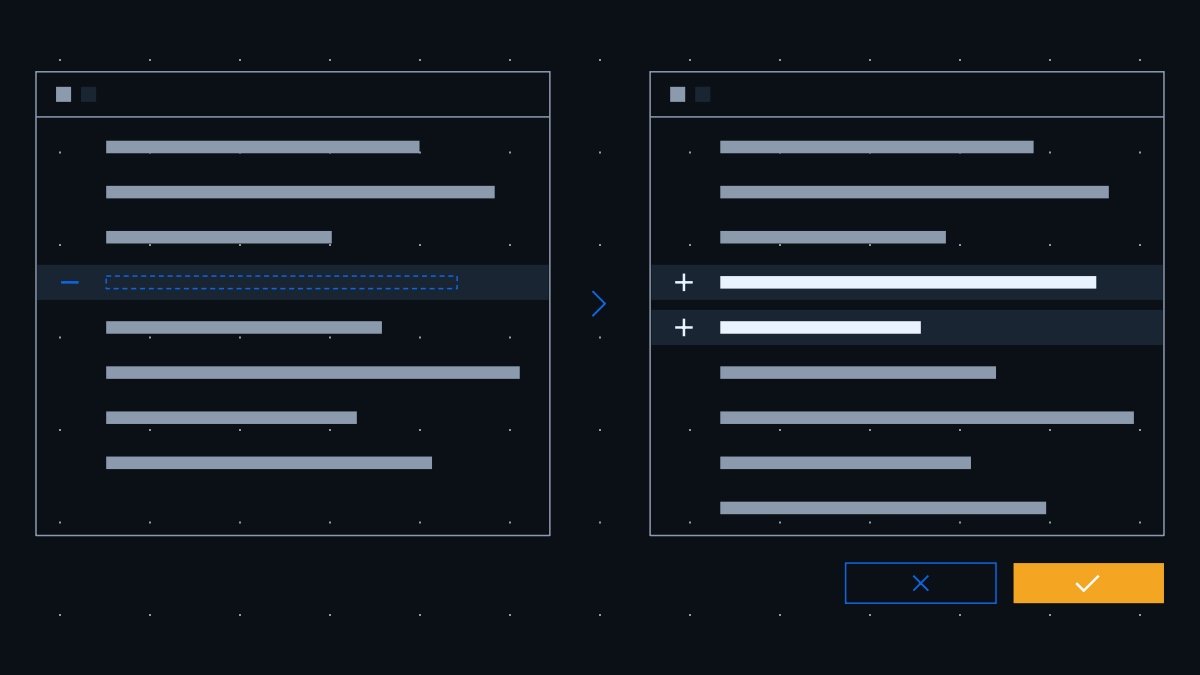
BrowserStack’s review screen lets you open a generated case with View and make inline edits, deselect unwanted cases, and add individual cases with Add. Its source-reference icon can show the primary source, section, and excerpt used. Compare those references with the actual requirement: an excerpt explains where a proposal came from, but does not establish that the proposal represents it correctly.
Read a Synthetic Refund Page
Assume a fictional page named Refund Authorization, reviewed at version 7, contains this agreed contract:
R1: Only a user with the Finance role may submit a refund.
R2: The refund amount is a positive whole number of cents and must not exceed the remaining refundable balance.
R3: A successful request reduces that balance by the refunded amount and creates a success audit entry containing the acting user and amount.
R4: A denied request leaves the balance unchanged and creates a denial audit entry containing the acting user and reason.
For this example, existing Jira requirement PAY-241 covers authorization and PAY-242 covers the amount and outcome rules. These page versions, identifiers, clauses, and mappings are invented for explanation. They do not describe real Confluence pages, Jira issues, or BrowserStack records.
The example deliberately leaves timeout handling unspecified. A useful reviewer records that question for the requirement owner instead of accepting a generated retry policy as a new business rule.
Repair a Plausible but Incomplete Case
Consider this illustrative draft, written to demonstrate a review problem rather than copied from vendor output: “Refund a valid amount. Open an order, enter 500 cents, submit, and verify that the refund succeeds.”
The amount looks concrete, but the draft omits the actor’s role, starting balance, and success observations. It could pass with an unauthorized user or with an unchanged balance. “Succeeds” also gives the tester no independent way to recognize the required outcome.
A reviewer can rewrite it as the following accepted specification, conditional on the agreed synthetic contract:
Case: Finance User Refunds Part of the Remaining Balance
Preconditions: Use a controlled test environment, a synthetic order with a remaining refundable balance of 1,000 cents, and an identified user who has the Finance role. Ensure the tester has an authorized way to inspect the order balance and relevant audit entries.
Record the starting refundable balance and identify the audit entries already present for this order.
As the Finance user, request a refund of 500 cents through the supported refund interface.
Read the resulting balance and inspect the audit entries associated with this request.
Expected results: The request succeeds, the remaining refundable balance is 500 cents, and a new success audit entry records the acting user and 500-cent amount. Record support from R1, R2, and R3. Do not invent a specific button, HTTP status, or success message that the page does not define.
The proposed audit inspection is a prerequisite to make this case observable. If testers cannot access an approved observation route, keep the case pending clarification instead of marking an unobservable result as accepted. Human acceptance here means that the specification is suitable for the stated scope, not that its steps have been run.
Add Missing Rejection Cases
Now review the clauses independently of the generated list. Happy path, Negative, and Edge case tags are useful organization, but their presence cannot prove that the relevant behaviors are covered.
Source Rule
Gap to Look For
Review Action
R1 and R4
Only Finance users appear in the drafts
Add a non-Finance attempt with otherwise valid data; expect denial, unchanged balance, and the required denial audit entry
R2 and R3
Only an interior amount is checked
Add an exact remaining-balance refund and verify a zero remaining balance plus the success audit entry
R2 and R4
No amount exceeds the available balance
With 1,000 cents remaining, request 1,001 cents; expect denial, unchanged balance, and the required denial audit entry
R2 and R4
Positive amount is assumed rather than checked
Add a zero-cent request; expect denial and its required unchanged-balance and audit outcomes
Each row identifies a review action, not a measured result. The same contract also warrants examining negative amounts and non-whole-cent inputs at the applicable input boundary. Agree how the supported interface receives or rejects those values before specifying exact steps. If it prevents entry, distinguish that interface check from testing the underlying validation boundary.
Keep a compact acceptance record with the case identity, reviewed content, source version, reviewer, decision, and remaining limitations. A test case approval workflow can help define that record without confusing content approval with execution results or release sign-off.
After review, use Add for an accepted case and confirm its destination folder. The current review screen displays the destination at the top and provides a pencil control to change it. BrowserStack says added cases receive the project’s default State value. Do not assume that saving a generated case automatically records your team’s approval decision or prevents unreviewed content from being used.
Associate Accepted Cases With Jira Requirements
A retained Confluence source reference answers “Which specification informed this case?” A Jira requirement association answers “Which delivery requirement does this accepted case cover?” A defect link records a different relationship, usually involving an execution result. A test-run requirement link also does not establish that every individual case has the correct requirement association.
BrowserStack states that each Test Management user must independently integrate the application with Jira. For Jira Cloud, its documented route is Integrations, Connect on the Jira tile, Jira On Cloud, then the authorized authentication method. Verify that the connected account can see the intended site, project, and requirement issue. The public guides do not establish your tenant’s complete permission or issue-security configuration; have the administrator validate the required actions instead of assuming that successful authentication grants access to every issue.
For an accepted case already saved in the external repository, use the documented existing-case editing path:
Locate that exact case and choose its pencil control or Edit Test Case from the menu.
Add the existing Jira requirement association. BrowserStack’s edit guide calls the field Jira Issues; its creation guide calls the requirement selector Requirements with Jira selected. Confirm the corresponding requirement field in your current form rather than creating another case to reach a different screen.
Select the authoritative existing issue, preserve any valid associations already present, and click Update in the full edit form.
Reopen the same case and inspect the saved issue reference. Follow it to confirm the correct Jira site, issue key, and requirement summary.
If the form does not expose the documented association or the intended issue is absent, stop and resolve access or configuration with the administrator. Do not substitute a plain-text issue key for a verified relationship, create a replacement requirement, or broadly change Jira permissions to make the tutorial proceed.
In the synthetic example, associate the accepted Finance refund case with PAY-241 and PAY-242 because it exercises the permitted Finance path and the amount/outcome rules. This association does not establish coverage of unauthorized attempts; the rejection case supplies that separate check. A zero-amount rejection case needs the amount and denial requirements; give it additional links only when its actual checks justify them. Avoid attaching every case to every issue merely to make a coverage list look populated.
Read back both kinds of reference: the Confluence source and the saved Jira requirement association. Confirm that the accepted steps and expected results remain intact. BrowserStack’s Jira app can provide integration views, but that is app functionality, not evidence of native Jira generation or automatic copying between the page and case.
Re-Review Coverage When the Page Changes
Suppose the page later requires a second approval above a defined refund threshold. Record the new source version, identify the affected clauses and cases, and ask the requirement owner how that approval interacts with existing authorization rules. Generate or write proposed changes, compare them with the accepted specifications, and review the new negative paths before replacing reusable coverage.
Retain the previous review decision with the content it accepted. A clickable source URL or an excerpt does not, by itself, establish an immutable record of the page version used. Maintain the versioned source evidence and case-to-requirement mapping through your controlled review process. Re-running generation after a page change is a deliberate action; it should not be described as automatic synchronization or a verified bidirectional content update.
Teams evaluating where this review responsibility should live can also examine Sherlock Test Management’s separate reviewed baseline model. Its current product description supports selected Confluence context and human acceptance of AI proposals into a versioned baseline. That is a different app workflow, not a connector that transfers BrowserStack cases or configures this procedure.
Start with one accepted case and have another teammate recover its supporting clause, reviewed source version, observable expected results, and saved Jira requirement association. Resolve any missing evidence before using that case as the pattern for a larger generated set.
Two reports can describe the same symptom while disagreeing about where the failure occurs. If a reviewer accepts a duplicate suggestion because the titles…
A checkout test times out while waiting for an order confirmation. The runner reports an assertion failure, the application records a failed request, and…
A recipient-preview rule changes, but the regression suite still checks the earlier behavior. An AI agent may choose a different route through the editor…
Sherlock
Manage Release Testing in Jira
Create traceable test cases, prepare release-specific test runs, and keep approved coverage current as the product changes.